
Exporting submissions
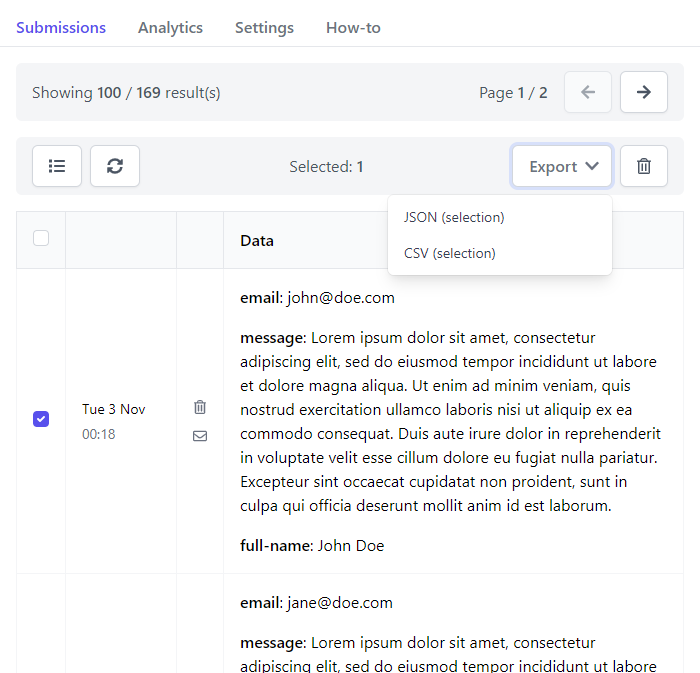
You can easily export your data as JSON or CSV documents.
Steps
- Navigate to your form's
Submissionssection - Select the submissions you want to export
- Press
Exportand chooseJSONorCSV
Exporting a whole form
To export everything a form received over a period, without selecting submissions one by one, use its Exports section.
- Navigate to your form's
Exportssection - Choose a format and a period, such as
Last 30 days,All timeor a custom range - Press
Create export
The export appears in the list below once it is ready. Press Download to save it.
Exports cover the submissions in your inbox. Deleted and spam submissions are not included.