
Additional workspaces
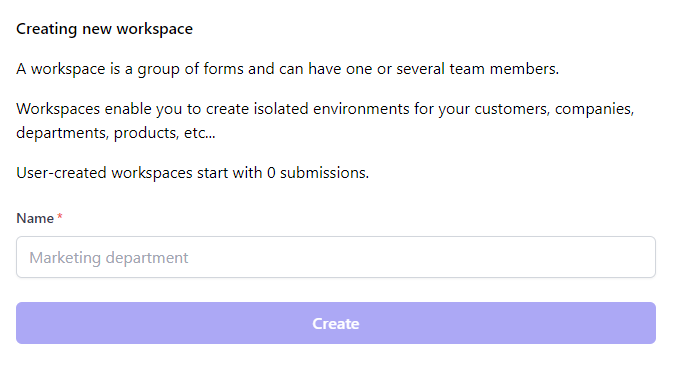
A workspace is a group of forms and can have one or several team members.
Workspaces enable you to create isolated environments for your customers, companies, departments, products, etc.
Note that additional user-created workspaces start with 0 submissions. All upgrades, bundles, and deals are per workspace. See limits and plans. Each workspace lists its own purchases and invoices.
Steps
- Press the switch button to the right of your workspace's name
- Press
Create workspace - Fill in a name and press
Create
Moving a form to another workspace
Forms cannot be moved between workspaces from the dashboard. If you need to transfer a form, contact support and we'll move it for you.
Deleting a workspace
Only an admin can delete a workspace. See roles.
- Open the workspace's
Settingsscreen - Under
Danger zone, pressDeleteon theDelete workspacerow - Type the workspace's name to confirm, then press
Delete workspace
Deletion cannot be undone, so export anything you want to keep first. See exporting submissions.
- Its forms, submissions, notification settings and integrations are removed for everyone in it. Forms posting to it stop accepting submissions.
- Its members lose access, and links in its pending invitations stop working.
- Submissions bought for it are not refunded, since bundles belong to the workspace.
You can delete a workspace that other people use, and your last workspace too. A workspace you create afterwards starts with 0 submissions.